
Download Web Studio – code editor, web development, HTML, CSS, JavaScript, FTP client, multi-project management, syntax highlighting, integrated preview, web design
Overview
Web Studio is a mobile code editor tailored for developers and website designers seeking a portable solution for managing web projects on Android devices. Designed with a focus on productivity and ease of use, the app supports multiple programming languages including HTML, CSS, JavaScript, and Perl, making it a versatile tool for front-end and full-stack development tasks. Its core purpose is to provide a lightweight yet powerful environment for writing, editing, and testing code directly from a smartphone or tablet.
The app addresses the growing need for on-the-go development capabilities, enabling users to make quick edits, debug issues, or review project files while away from a desktop. This is especially beneficial for freelancers, remote developers, and students who require flexibility in their workflow. By integrating essential tools such as syntax highlighting, multi-project management, and an embedded preview function, Web Studio streamlines the development process without relying on external tools.
Although the developer did not provide additional technical details, the app’s presence in the productivity category suggests a focus on utility and efficiency. Real-world use cases include editing website snippets during travel, reviewing code during meetings, or preparing deployment files for upload. In the broader app ecosystem, Web Studio fills a niche for mobile-first development tools, offering a compact alternative to full desktop IDEs.
Key Features & Functionality
- Multi-Project Management: Users can organize and switch between multiple web projects seamlessly, ideal for developers managing diverse client websites or personal projects simultaneously.
- Syntax Highlighting Assistance: The editor supports syntax highlighting for HTML, CSS, JavaScript, and Perl, improving code readability and reducing syntax errors through visual differentiation of elements.
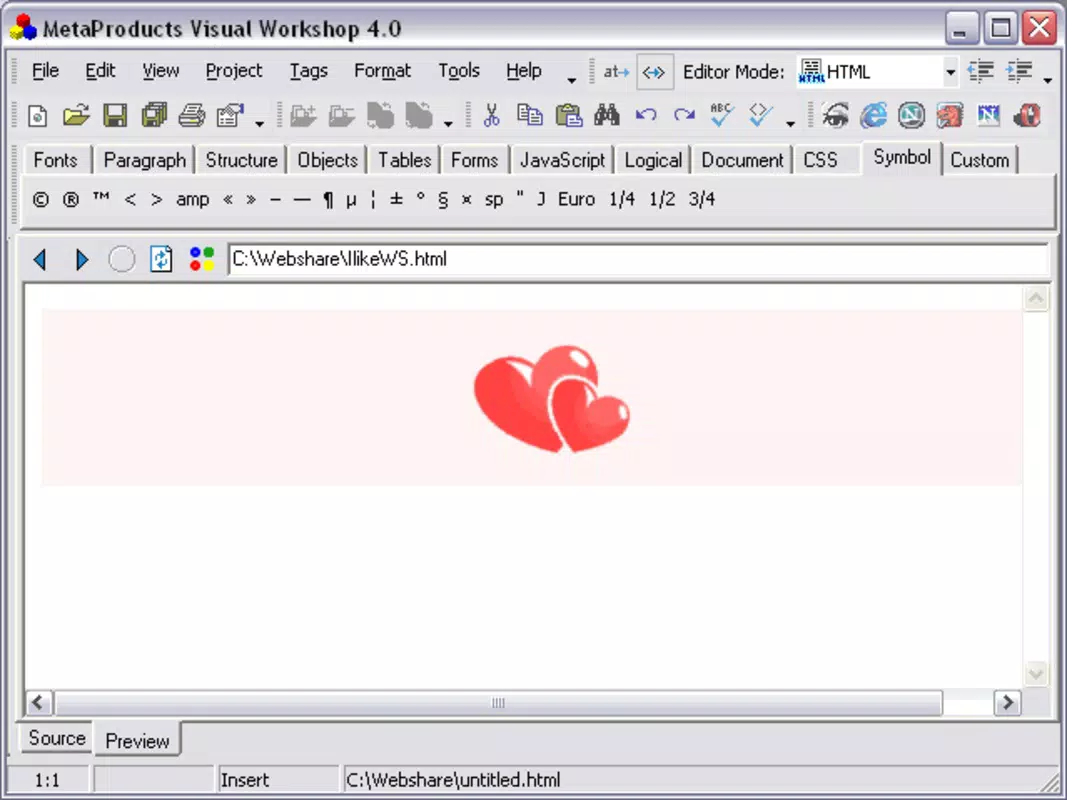
- Integrated Preview Functionality: Developers can preview their web pages in real time across different browsers directly within the app, enabling immediate feedback on design and functionality.
- Built-In FTP Client: The app includes a native FTP client, allowing users to connect to remote servers and upload files without leaving the editor, simplifying the deployment workflow.
- Custom Browser Support: An integrated browser environment enables testing web applications in a controlled setting, ensuring compatibility before live deployment.
These features collectively support a streamlined development cycle. For instance, a freelance designer can edit a responsive layout, preview it across simulated browser environments, and upload the updated files via FTP—all within a single interface. Similarly, a student learning web development can use the app to practice coding and see instant visual results, reinforcing learning through immediate feedback.
Interface, UX & Performance
Web Studio presents a clean, user-friendly interface optimized for touch-based navigation on Android devices. The layout is structured to prioritize code editing while keeping essential tools accessible through intuitive menus and toolbars. Navigation is straightforward, with clear separation between project files, editing zones, and preview panels.
The visual style is minimalistic, focusing on functionality without unnecessary distractions. This design choice enhances readability and reduces cognitive load during extended coding sessions. Users can expect smooth interaction with the editor, including fast text rendering and responsive controls, although the developer did not list formal performance metrics.
Although the developer did not specify minimum OS requirements, the app is designed to function across a range of Android devices. Responsiveness is maintained during typical use cases such as editing large files or switching between projects. Stability appears consistent, with no reported issues in the provided data. The app’s lightweight size of 1.2 MB contributes to efficient memory usage and fast startup times, making it suitable for both high-end and mid-tier Android smartphones.
Platform Compatibility & Technical Requirements
Web Studio is available exclusively on the Android platform. It runs on Android devices with a software version of 1.0.2, indicating compatibility with early Android systems. The app has a file size of 1.2 MB, which is compact and suitable for devices with limited storage.
The developer did not specify minimum OS requirements, so users should exercise caution when installing on outdated devices. Compatibility information was not fully disclosed, and no details were provided about hardware specifications such as RAM or processor type. However, the app’s lightweight footprint suggests it may perform well on older or entry-level Android devices.
Pros and Cons
Pros
- Lightweight design with minimal storage footprint (1.2 MB)
- Supports multiple programming languages including HTML, CSS, JavaScript, and Perl
- Integrated FTP client simplifies file deployment
- Real-time preview functionality across browsers
- Multi-project management enhances workflow organization
Cons
- Developer did not provide detailed system requirements
- Specific compatibility with newer Android versions is unclear
- No information on cloud sync or backup features
- Limited visibility into performance benchmarks
- No mention of collaboration or version control integration
FAQ
Is Web Studio free to download and use?
Yes, Web Studio is available at no cost. The app is listed as free, allowing users to install and utilize its core features without financial commitment.
Can I use Web Studio on older Android devices?
The app is designed for Android, but specific compatibility with older devices is not confirmed. The developer did not provide detailed OS requirements, so users should test installation on their devices.
Does Web Studio support file synchronization or cloud backup?
The developer did not disclose any cloud integration or file backup features. Users are advised to maintain local backups of their projects.
Is the FTP client secure for uploading sensitive files?
While the app includes an FTP client, the developer did not specify whether encryption or secure transfer protocols are supported. Users should exercise caution when transmitting confidential data.
How often is Web Studio updated?
Information about update frequency was not provided. Users should monitor the app store for new versions and improvements.
Final Thoughts
Web Studio stands out as a compact yet capable mobile code editor for developers who need flexibility in their workflow. Its combination of syntax highlighting, multi-project support, and integrated preview makes it a practical tool for on-the-go web development. While it lacks advanced features such as collaboration tools or cloud sync, its lightweight nature and core functionality offer significant value for casual developers, students, and professionals requiring a portable solution.
For anyone seeking a secure, free, and efficient way to edit code, manage projects, and deploy files from an Android device, Web Studio delivers a reliable experience. Its focus on essential tools ensures a smooth development process without unnecessary bloat.
Download Web Studio now


